What to Redact from a Tax Return PDF
Protect SSNs, tax IDs, income details, addresses, dependent information, and metadata before sharing tax PDFs.
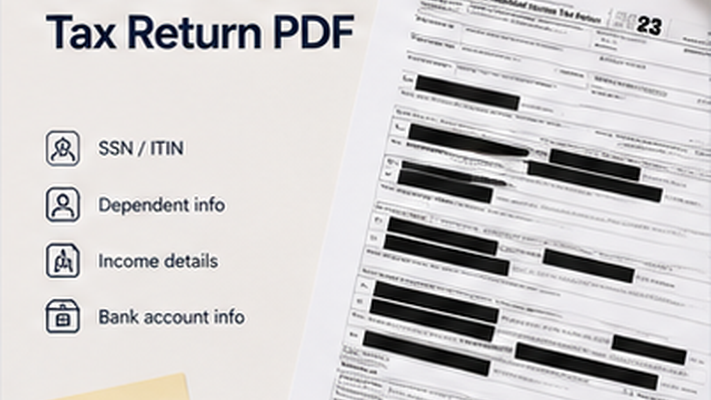
Key takeaways
- Tax documents contain some of the most sensitive personal and financial information.
- SSNs, tax IDs, and dependent information should always be reviewed.
- Income details and W-2 amounts may need redaction depending on the sharing context.
- Metadata in tax PDFs often contains author and software information.
Tax Document Fields to Review
Tax documents contain highly sensitive personal and financial information. Social Security numbers, taxpayer identification numbers, and dependent SSNs should always be protected. Income details, filing status, and specific deduction amounts may also need review depending on why you are sharing the document.
- Social Security numbers of the filer and all dependents.
- Taxpayer identification numbers.
- Home address of the filer.
- Specific income amounts if not relevant to the sharing context.
- Bank account details for direct deposit.
- Driver's license or state ID numbers if included.
- Metadata: preparer name, software, e-filing timestamp.
PDF Redaction Safety Checklist
Common mistakes to avoid
Redact your PDF now
Upload a PDF, mark sensitive areas, clean metadata, and download a redacted copy. Free for documents up to 10MB.
Frequently Asked Questions
Should I redact income amounts from a tax return before sharing?
It depends on context. If the document is shared for a specific purpose that does not require income details, removing those amounts reduces unnecessary exposure.
Related Guides
How to Redact a PDF Safely Before Sharing
Learn how to permanently remove sensitive information from a PDF instead of simply covering it with a black box.
How to Remove PDF Metadata Before Sharing a Redacted PDF
Learn what PDF metadata can reveal, why metadata cleanup matters, and how to remove hidden document properties before sharing or uploading a redacted PDF.