Redact PDF Before Uploading to ChatGPT or AI Tools
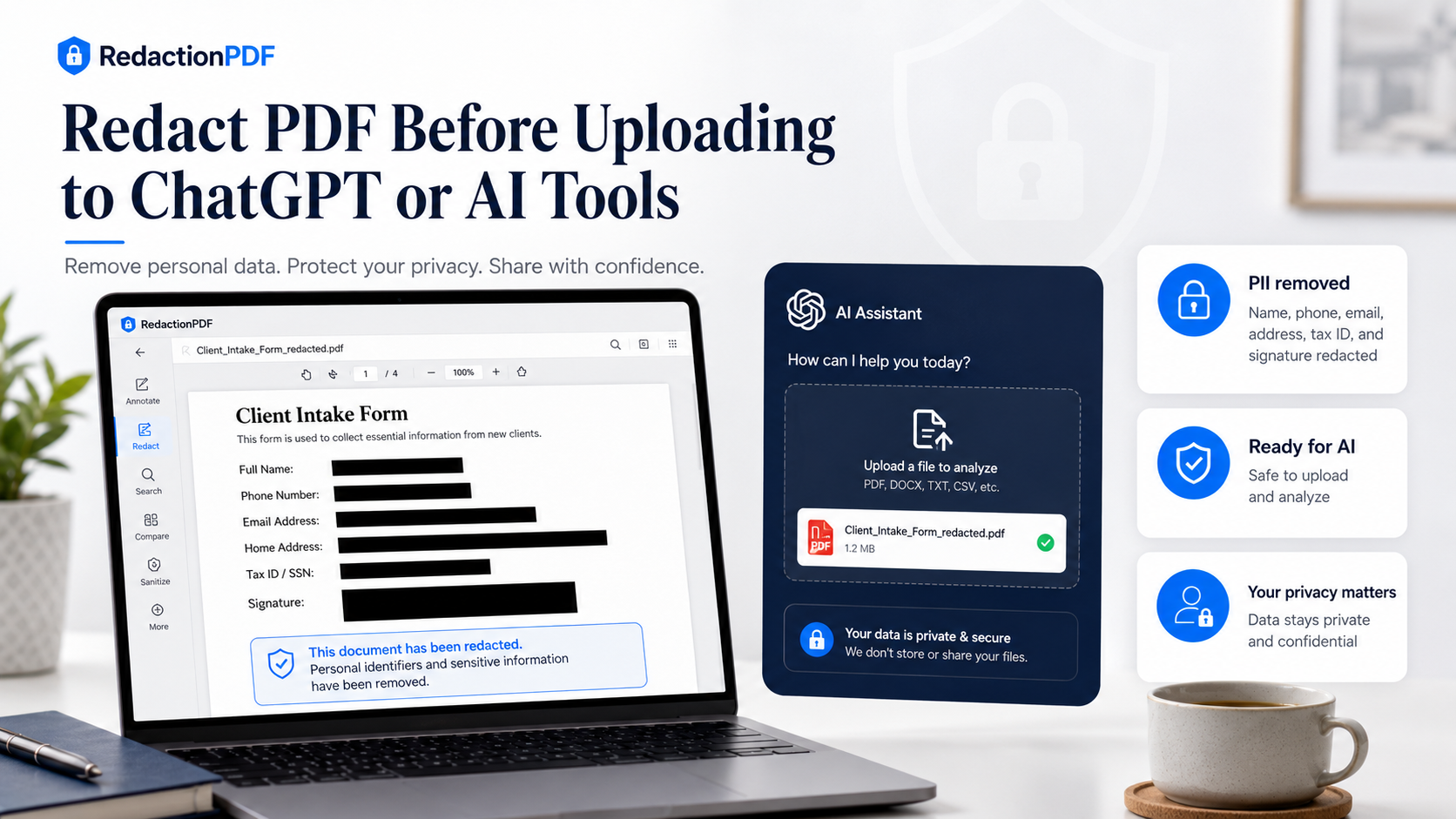
Remove names, emails, phone numbers, account details, signatures, and metadata from PDFs before uploading them to ChatGPT, Claude, Gemini, or other AI tools.
Key takeaways
- Redact personal, financial, legal, and business-sensitive information before uploading PDFs to AI tools.
- Do not rely on the prompt to protect private information if the original PDF still contains it.
- Remove hidden metadata, not just visible text.
- Different document types need different redaction checklists.
- Upload only the redacted copy, not the original file.
Why Redact a PDF Before Uploading It to ChatGPT?
When you upload a PDF to an AI tool, the system may process the content of that document to answer your request. That content may include visible text, tables, form fields, scanned images, signatures, comments, file names, and metadata.
If the PDF contains private information, that information may become part of the AI interaction. A redacted copy helps you preserve the useful document context while reducing unnecessary exposure.
Redaction happens before upload. Prompting happens after upload. For privacy-sensitive workflows, reduce the data first.
What AI Tools May See in a PDF
A PDF is not always just what appears on the page. It may contain visible content and hidden information. Depending on how the PDF is processed, an AI tool may read or extract more than you expect.
Possible PDF data includes: body text, headers and footers, tables, page numbers, form fields, comments and annotations, links, attachments, image text if OCR is used, and metadata such as author, title, software, and timestamps.
- Body text and tables.
- Form fields and comments.
- Scanned images if OCR is used.
- Metadata and document properties.
- Attachments and embedded files.
Redact your PDF now
Upload a PDF, mark sensitive areas, clean metadata, and download a redacted copy. Free for documents up to 10MB.
What Should You Redact Before Uploading a PDF to AI?
The best rule is: if the AI task does not require the information, remove it from the copy you upload. Common details to redact include full names, email addresses, phone numbers, addresses, signatures, account numbers, routing numbers, IBANs, tax IDs, Social Security numbers, passport numbers, employee IDs, confidential pricing, internal notes, and metadata.
You do not always need to remove every name or every company reference. The right level of redaction depends on the task.
- Names that are not required for the task.
- Email addresses and phone numbers.
- Signatures and account numbers.
- Tax IDs and employee IDs.
- Confidential comments and internal pricing.
- Metadata, QR codes, and attachments.
A Safer Workflow for AI Uploads
Define the AI task first. Be clear about what you need. Once you know the task, it becomes easier to decide what information is unnecessary. Then create a copy of the PDF, redact unnecessary sensitive information, clean metadata, test the redacted PDF, and upload only the redacted copy.
Never upload the original file. Prompt instructions are not enough. If the private data remains in the PDF, it may still be processed.
- Define the AI task and what information is actually needed.
- Create a working copy of the PDF.
- Redact unnecessary sensitive information using a PDF redaction tool.
- Clean hidden metadata from the copy.
- Test the redacted PDF with search and copy-paste.
- Upload only the redacted copy.
PDF Redaction Safety Checklist
Common mistakes to avoid
Redact your PDF now
Upload a PDF, mark sensitive areas, clean metadata, and download a redacted copy. Free for documents up to 10MB.
Frequently Asked Questions
Should I redact a PDF before uploading it to ChatGPT?
Yes, if the PDF contains personal, financial, legal, business-sensitive, or confidential information that is not required for your AI task.
What information should I remove before uploading a PDF to AI?
Common items include names, email addresses, phone numbers, addresses, account numbers, signatures, tax IDs, confidential clauses, internal comments, and metadata.
Is deleting sensitive text from the prompt enough?
No. If the sensitive information remains inside the uploaded PDF, the AI tool may still process it. Redact the PDF itself before uploading.
Can AI tools read PDF metadata?
Depending on how the PDF is processed, metadata and document properties may be extracted or preserved. It is safer to remove metadata before uploading privacy-sensitive PDFs.
Can I upload a redacted bank statement to AI?
You can, but first remove unnecessary account details, addresses, balances, transaction notes, and metadata. Always check the redacted copy before uploading.
Related Guides
How to Redact a PDF Safely Before Sharing
Learn how to permanently remove sensitive information from a PDF instead of simply covering it with a black box.
Can Redacted PDF Text Be Recovered?
Understand when redacted PDF content is truly removed and when black boxes or annotations may still expose hidden text.