How to Redact a Resume Before Uploading It to AI
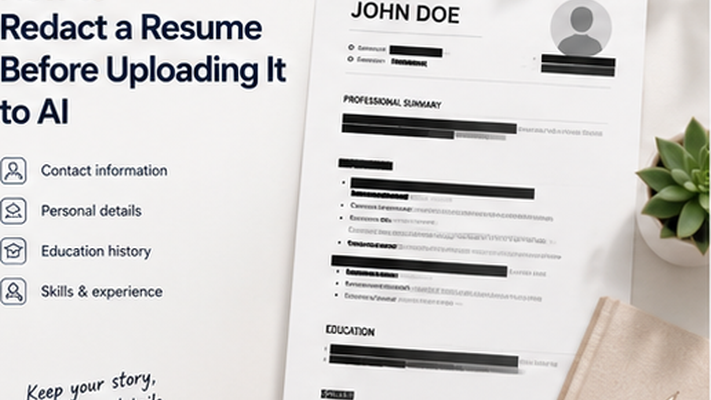
Prepare resumes for AI review by removing phone numbers, addresses, emails, references, and hidden metadata.
Key takeaways
- Resumes contain personal contact information that AI tools do not need.
- References and their contact details should be reviewed.
- Metadata can reveal the author's real name and software used to create the resume.
- Use a redacted copy for AI analysis and keep the full resume for direct applications.
Why Resumes Need Redaction Before AI Upload
When uploading a resume to an AI tool for rewriting, tailoring, or analysis, the AI does not need your home address, personal phone number, or references. Sharing only the relevant professional information reduces unnecessary exposure.
A resume PDF may also contain hidden author metadata that reveals the creator's real name and the software used to create the document.
Resume Fields to Review
Review both the visible content and the hidden document properties before uploading a resume to any AI tool.
- Home address and ZIP code.
- Personal phone number.
- Personal email address (use a professional alternative if needed).
- References and their contact details.
- LinkedIn profile URL if it exposes additional personal information.
- Any embedded photo or identifiable image.
- Metadata: author name, software, company template name.
Redact your PDF now
Upload a PDF, mark sensitive areas, clean metadata, and download a redacted copy. Free for documents up to 10MB.
PDF Redaction Safety Checklist
Common mistakes to avoid
Redact your PDF now
Upload a PDF, mark sensitive areas, clean metadata, and download a redacted copy. Free for documents up to 10MB.
Frequently Asked Questions
Should I redact my photo from a resume before AI analysis?
Yes, especially if the photo is not relevant to the AI task. Remove identifiable images to reduce unnecessary biometric exposure.
Related Guides
Redact PDF Before Uploading to ChatGPT or AI Tools
Remove names, emails, phone numbers, account details, signatures, and metadata from PDFs before uploading them to AI tools.
How to Remove PDF Metadata Before Sharing a Redacted PDF
Learn what PDF metadata can reveal, why metadata cleanup matters, and how to remove hidden document properties before sharing or uploading a redacted PDF.