How to Check If a PDF Is Properly Redacted
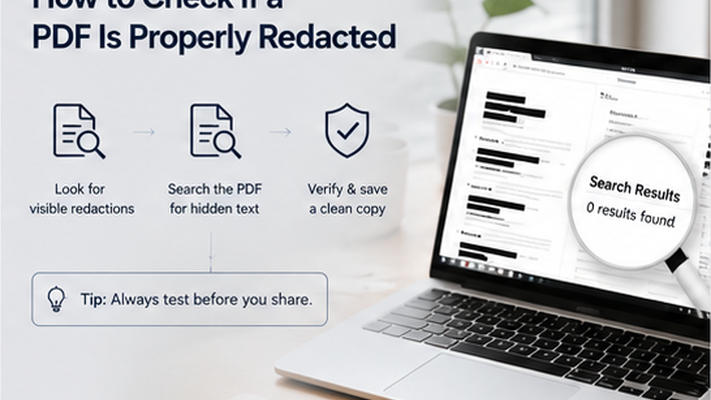
Use search, copy-paste, metadata inspection, and PDF editor checks to verify that sensitive content was removed.
Key takeaways
- A PDF can look redacted without actually being safely redacted.
- Search, copy-paste, and metadata tests help verify redaction quality.
- Opening the file in a second PDF viewer catches rendering differences.
- Testing is especially important for high-sensitivity documents.
Why Testing Matters
Many users assume that a black box or a redacted appearance means the content is gone. That assumption can lead to data exposure. Testing the final PDF before sharing is the only way to confirm the redaction worked.
How to Test Whether a PDF Is Properly Redacted
Run these five checks on every redacted PDF before sharing it. Each test catches a different type of redaction failure.
- Search test: search for names, emails, account numbers, and keywords you meant to redact.
- Copy-paste test: select text near redacted areas and paste into a plain text editor.
- Overlay test: try to select or move the black box — if it moves, the file is only masked.
- Metadata test: open document properties and check for author, software, and creation date.
- Second viewer test: open the PDF in a different PDF reader or browser.
Redact your PDF now
Upload a PDF, mark sensitive areas, clean metadata, and download a redacted copy. Free for documents up to 10MB.
PDF Redaction Safety Checklist
Common mistakes to avoid
Redact your PDF now
Upload a PDF, mark sensitive areas, clean metadata, and download a redacted copy. Free for documents up to 10MB.
Frequently Asked Questions
What is the fastest way to check if a PDF is safely redacted?
Open the PDF in a different browser or PDF reader and search for the terms you redacted. If search finds them, the file was not safely redacted.
Related Guides
How to Redact a PDF Safely Before Sharing
Learn how to permanently remove sensitive information from a PDF instead of simply covering it with a black box.
Can Redacted PDF Text Be Recovered?
Understand when redacted PDF content is truly removed and when black boxes or annotations may still expose hidden text.